Data Sources & Pipelines Fuentes de Datos y Pipelines
Connect where conversions come from, watch them flow, and keep the data clean — from AppsFlyer and the web pixel to Everflow, GA4 and generic webhooks. Conecta de donde vienen las conversiones, observa como fluyen y manten los datos limpios — desde AppsFlyer y el pixel web hasta Everflow, GA4 y webhooks genericos.
Tracking sources Fuentes de tracking
You'll find this under a client at Tracking sources (part of the Integrations area). This is where you connect a conversion source — the place RELO listens to so it knows when a sale or lead happened. Lo encuentras dentro de un cliente en Tracking sources (parte del area de Integraciones). Aqui es donde conectas una fuente de conversiones — el lugar que RELO escucha para saber cuando ocurrio una venta o un lead.
The trick is that RELO normalizes any source into the same event model, so the analytics never needs per-source code. No matter where the conversion came from, it ends up looking the same downstream. El truco es que RELO normaliza cualquier fuente al mismo modelo de eventos, asi que la analitica nunca necesita codigo por fuente. Sin importar de donde vino la conversion, termina viendose igual en el resto del sistema.
Supported sources: Fuentes soportadas:
- AppsFlyer — the MMP (mobile measurement partner).AppsFlyer — el MMP (socio de medicion movil).
- The web pixel — RELO's own client-side tag.El pixel web — el tag del lado del cliente de RELO.
- Everflow — an affiliate network.Everflow — una red de afiliados.
- GA4 — Google Analytics 4.GA4 — Google Analytics 4.
- A generic webhook — anything that can POST you a payload.Un webhook generico — cualquier cosa que pueda enviarte un payload por POST.
For Everflow, GA4 and the generic webhook you set a small field mapping — which incoming field is the event name, which is the value, the currency, the partner param, and the dedup key — and RELO does the rest. AppsFlyer and the pixel work out of the box. Para Everflow, GA4 y el webhook generico configuras un pequeno mapeo de campos — cual campo entrante es el nombre del evento, cual es el valor, la moneda, el parametro de partner y la llave de deduplicacion — y RELO hace el resto. AppsFlyer y el pixel funcionan sin configuracion.
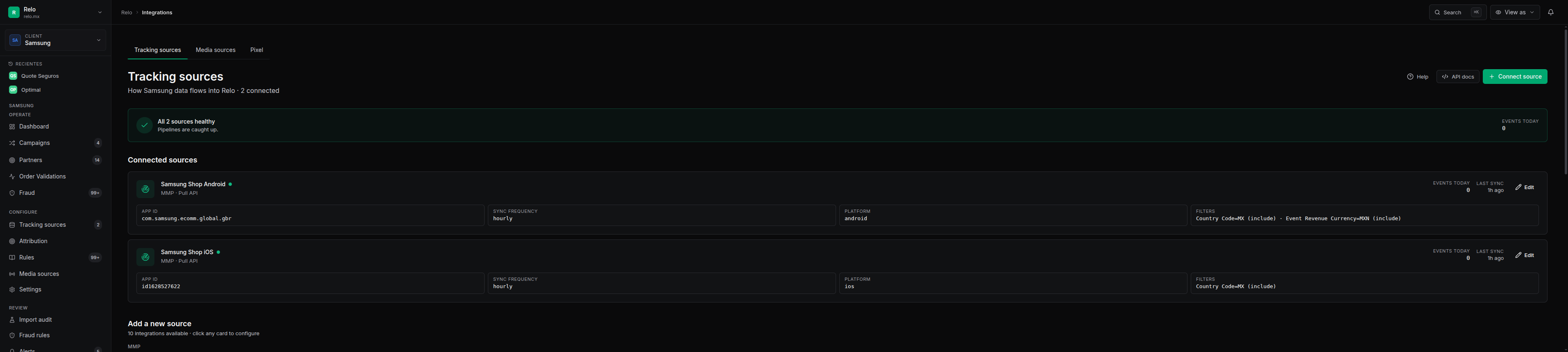
Because every source converges into one event model, you can add a brand-new source without touching analytics. Sources differ only at ingestion — everything after that is identical. Como cada fuente converge en un solo modelo de eventos, puedes agregar una fuente nueva sin tocar la analitica. Las fuentes difieren solo en la ingesta — todo lo demas despues es identico.
Media sources Media sources
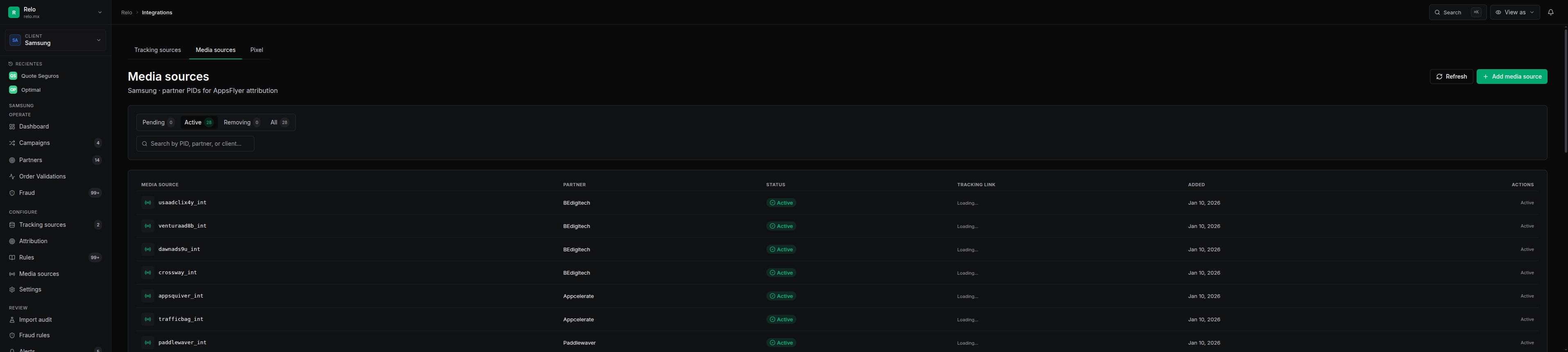
Find this at Media sources (/v2/c/:slug/media-sources). This is where you manage the partner traffic sources, or PIDs — you can approve, reject or remove them, and grab the AppsFlyer tracking links.
Lo encuentras en Media sources (/v2/c/:slug/media-sources). Aqui administras las fuentes de trafico de los partners, o PIDs — puedes aprobar, rechazar o eliminar, y obtener los links de tracking de AppsFlyer.
In short, this controls which partner PIDs are allowed to send traffic. It's your gate for who's allowed in. En resumen, esto controla cuales PIDs de partners pueden enviar trafico. Es tu puerta de quien tiene permiso de entrar.
Data pipelines Pipelines de datos
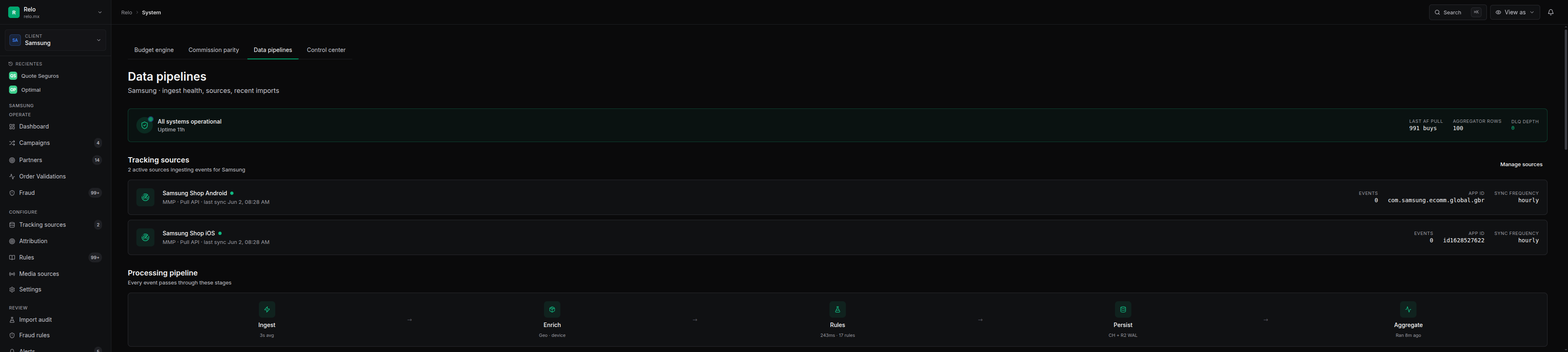
Find this at Data pipelines (/v2/pipelines). It's a live status board for the ingestion pipeline, with pixel/MMP toggles.
Lo encuentras en Data pipelines (/v2/pipelines). Es un tablero de estado en vivo del pipeline de ingesta, con toggles de pixel/MMP.
Use it to confirm events are flowing and nothing is stuck. When you've just connected a source or you suspect a gap, this is the first place to look. Usalo para confirmar que los eventos estan fluyendo y nada esta atorado. Cuando acabas de conectar una fuente o sospechas un hueco, este es el primer lugar donde mirar.
Import audit & reconciliation Auditoria de import y reconciliacion
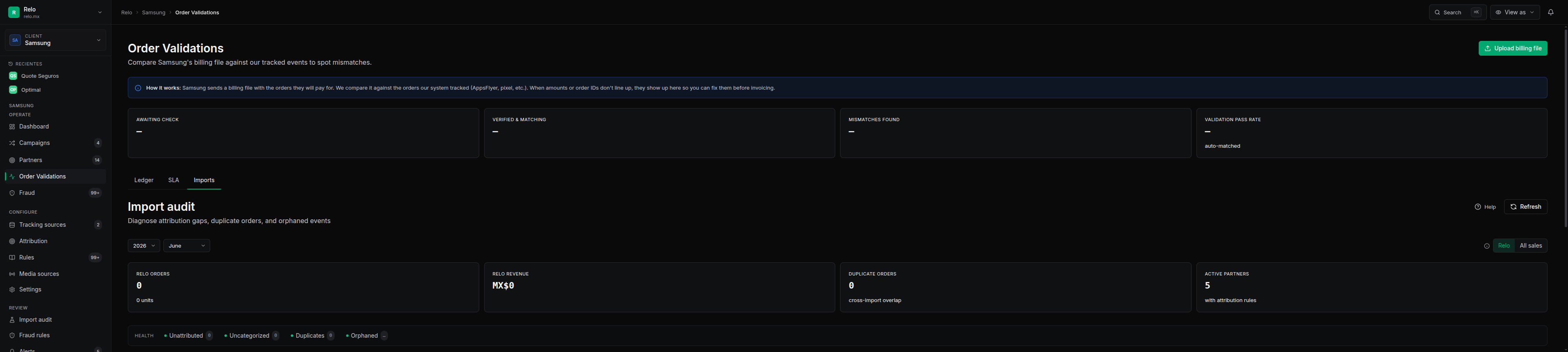
The Reconciliation area's Imports tab audits each import — it shows rows, attributed, duplicates and orphans — and reconciles RELO's ledger against the source. El tab de Imports dentro del area de Reconciliacion audita cada import — muestra filas, atribuidas, duplicadas y huerfanas — y reconcilia el ledger de RELO contra la fuente.
That lets you confirm every order landed — that what the source sent is exactly what RELO recorded, with nothing missing or double-counted. Eso te permite confirmar que cada orden llego — que lo que la fuente envio es exactamente lo que RELO registro, sin nada faltante ni contado doble.
When something breaks Cuando algo se rompe
If a source has a gap — for example, a write outage — RELO has idempotent recovery. You can re-pull AppsFlyer for a window of time, or replay the write-ahead log for pixel and click events. Si una fuente tiene un hueco — por ejemplo, una caida de escritura — RELO tiene recuperacion idempotente. Puedes volver a jalar AppsFlyer por una ventana de tiempo, o reproducir el write-ahead log para eventos de pixel y clicks.
Both are safe to re-run because events de-duplicate — running a recovery twice won't create double rows. Ambos se pueden volver a correr sin riesgo porque los eventos se deduplican — correr una recuperacion dos veces no creara filas duplicadas.
See the recovery runbook for the exact steps: operations-recovery. To connect or configure Everflow and GA4, see the external-sources guide. Consulta el runbook de recuperacion para los pasos exactos: operations-recovery. Para conectar o configurar Everflow y GA4, revisa la guia de external-sources.
Need help? Necesitas ayuda?
If a source won't connect or the pipeline looks stuck, reach out to the RELO platform team internally. Have the client, the source type, and the time window of the gap handy — it makes diagnosis much faster. Si una fuente no conecta o el pipeline se ve atorado, contacta al equipo de plataforma de RELO internamente. Ten a la mano el cliente, el tipo de fuente y la ventana de tiempo del hueco — hace el diagnostico mucho mas rapido.