Quick-start: Go live in 10 minutes Quick-start: En vivo en 10 minutos
From invite to your first tracked conversion in six quick steps. No coding required. De la invitacion a tu primera conversion rastreada en seis pasos rapidos. Sin necesidad de programar.
This is the fastest path from a fresh invite to seeing your first conversion credited to you. Follow the six steps below in order — most partners are live and driving tracked traffic in under ten minutes. If you want the full reference for any single step, each one links out to a deeper guide. Este es el camino mas rapido desde una invitacion nueva hasta ver tu primera conversion acreditada a ti. Sigue los seis pasos de abajo en orden — la mayoria de los partners quedan en vivo y generando trafico rastreado en menos de diez minutos. Si quieres la referencia completa de algun paso, cada uno enlaza a una guia mas profunda.
Accept your invite & sign in Acepta tu invitacion e inicia sesion
Click the email invitation you received from RELO, set a password, and you'll land straight in your portal. After that, just sign in any time with your email and password. Haz clic en la invitacion por correo que recibiste de RELO, define una contrasena y aterrizaras directo en tu portal. Despues de eso, solo inicia sesion en cualquier momento con tu correo y contrasena.
Get your tracking link Obten tu link de tracking
Go to Links & creatives. You have two options: the simple direct parameter the portal shows you (for example ?sub2=p30), or — recommended — generate a secure short link t.relo.mx/c/CODE in the Link builder. The secure link seals your partner ID server-side and survives across sessions.
Ve a Links y creativos. Tienes dos opciones: el parametro directo simple que te muestra el portal (por ejemplo ?sub2=p30), o — recomendado — genera un link corto seguro t.relo.mx/c/CODE en el Link builder. El link seguro sella tu partner ID del lado del servidor y sobrevive entre sesiones.
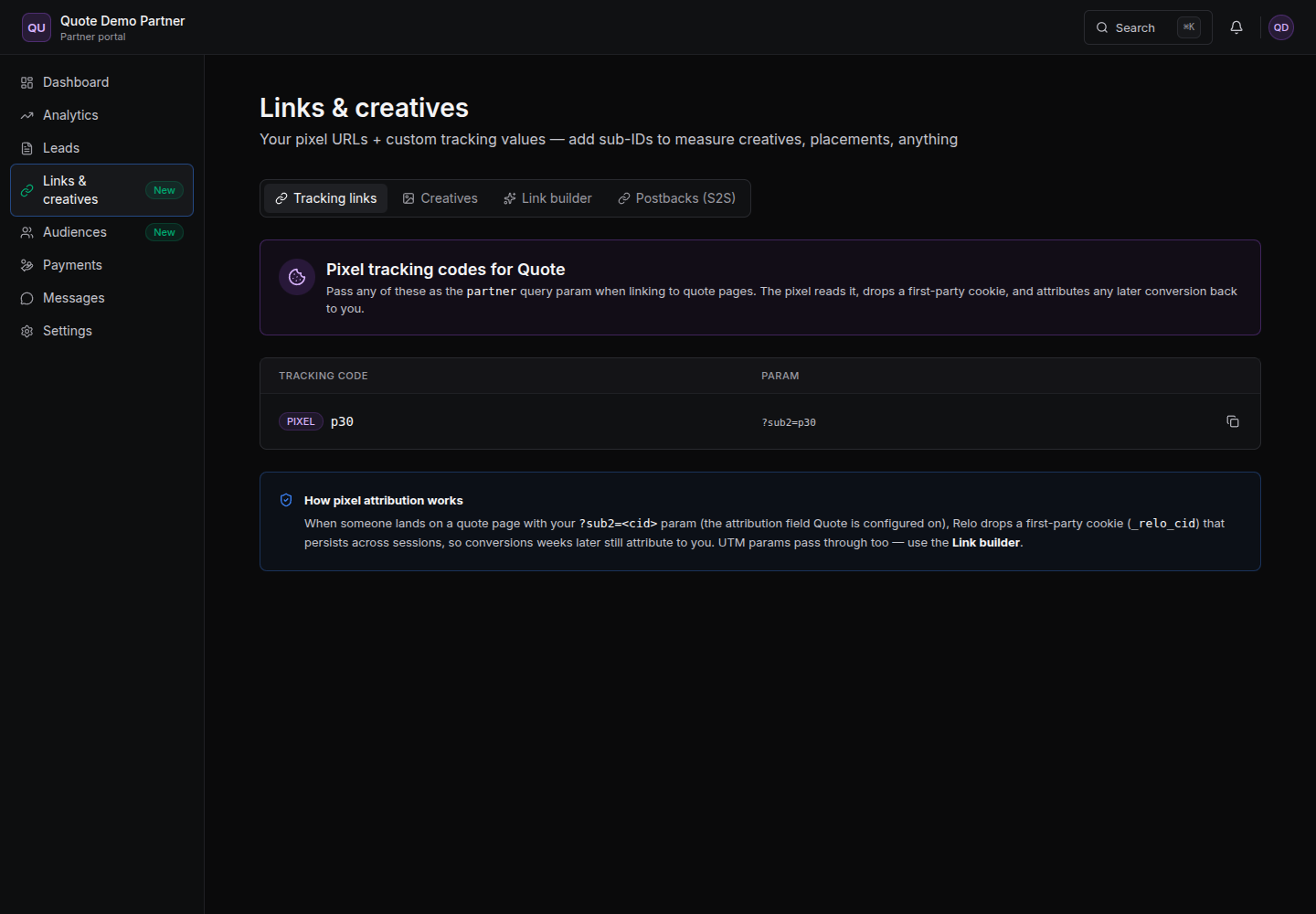
For the full explanation of both options, see Tracking links. Here's what a secure link looks like: Para la explicacion completa de ambas opciones, ve Tracking links. Asi se ve un link seguro:
https://t.relo.mx/c/CODE
Tag your traffic & launch Etiqueta tu trafico y lanza
Put your link — or your tagged landing-page URL — into your ads, app, or platform and start driving traffic. That's it: from this moment, every conversion that flows through your link is tracked back to you. Coloca tu link — o tu URL de landing page etiquetada — en tus anuncios, app o plataforma y empieza a generar trafico. Eso es todo: desde este momento, cada conversion que pase por tu link se rastrea de vuelta a ti.
Watch your first conversion land Observa llegar tu primera conversion
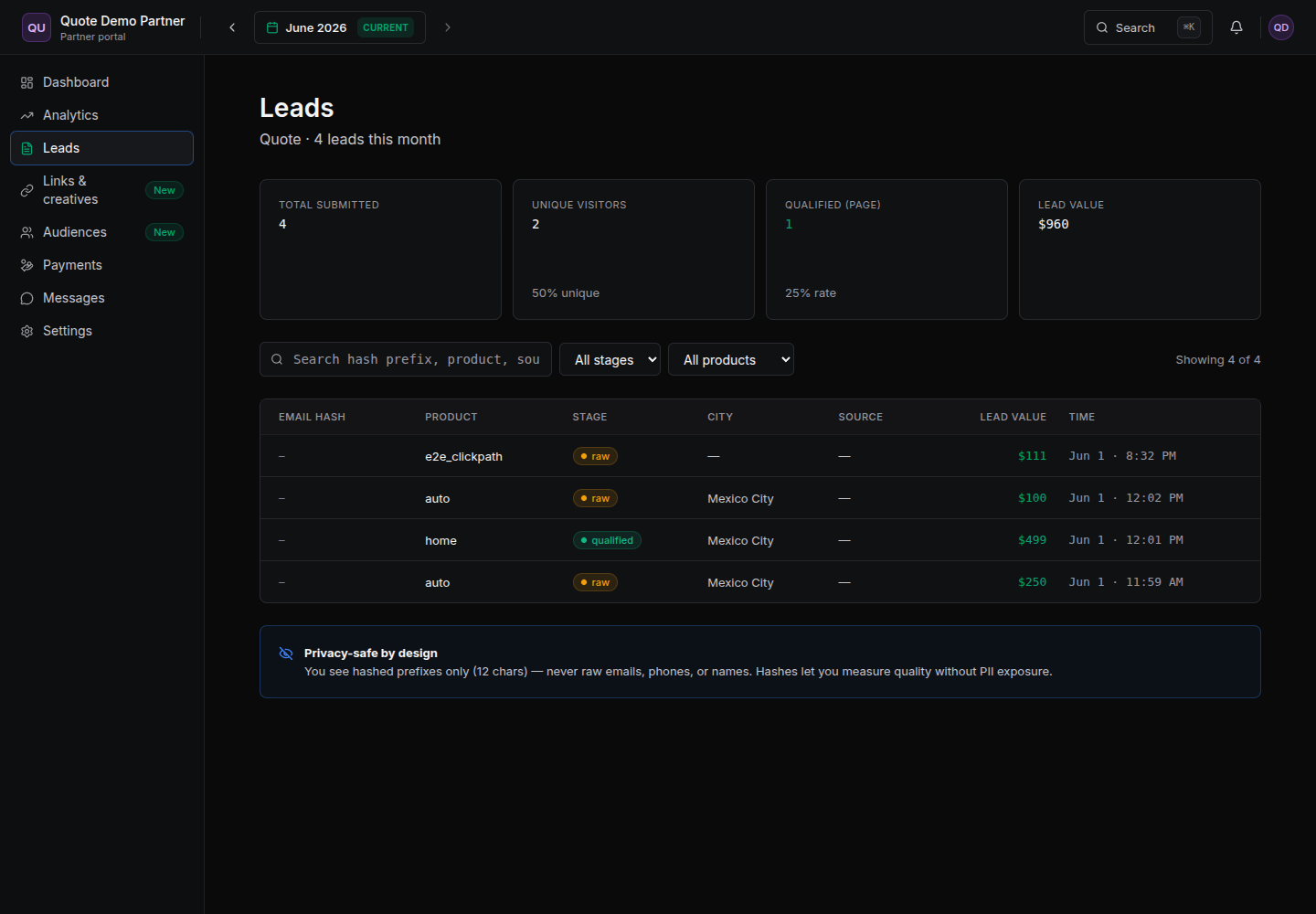
Open the Orders tab (for MMP campaigns) or the Leads tab (for pixel campaigns). Your conversions appear here as they're credited to you, and you can Export CSV — always limited to your own data. Abre el tab de Orders (para campanas MMP) o el tab de Leads (para campanas de pixel). Tus conversiones aparecen aqui a medida que se te acreditan, y puedes Exportar CSV — siempre limitado a tus propios datos.
(Optional) Set up a postback (Opcional) Configura un postback
In Links & creatives → Postbacks (S2S), add an https URL with macros so RELO pushes each credited conversion to your own tracker or CRM in real time — no manual checking. See the Postbacks deep-dive for the full macro list and setup. En Links y creativos → Postbacks (S2S), agrega una URL https con macros para que RELO envie cada conversion acreditada a tu propio tracker o CRM en tiempo real — sin revisar manualmente. Ve el detalle de Postbacks para la lista completa de macros y la configuracion.
Get paid Cobra
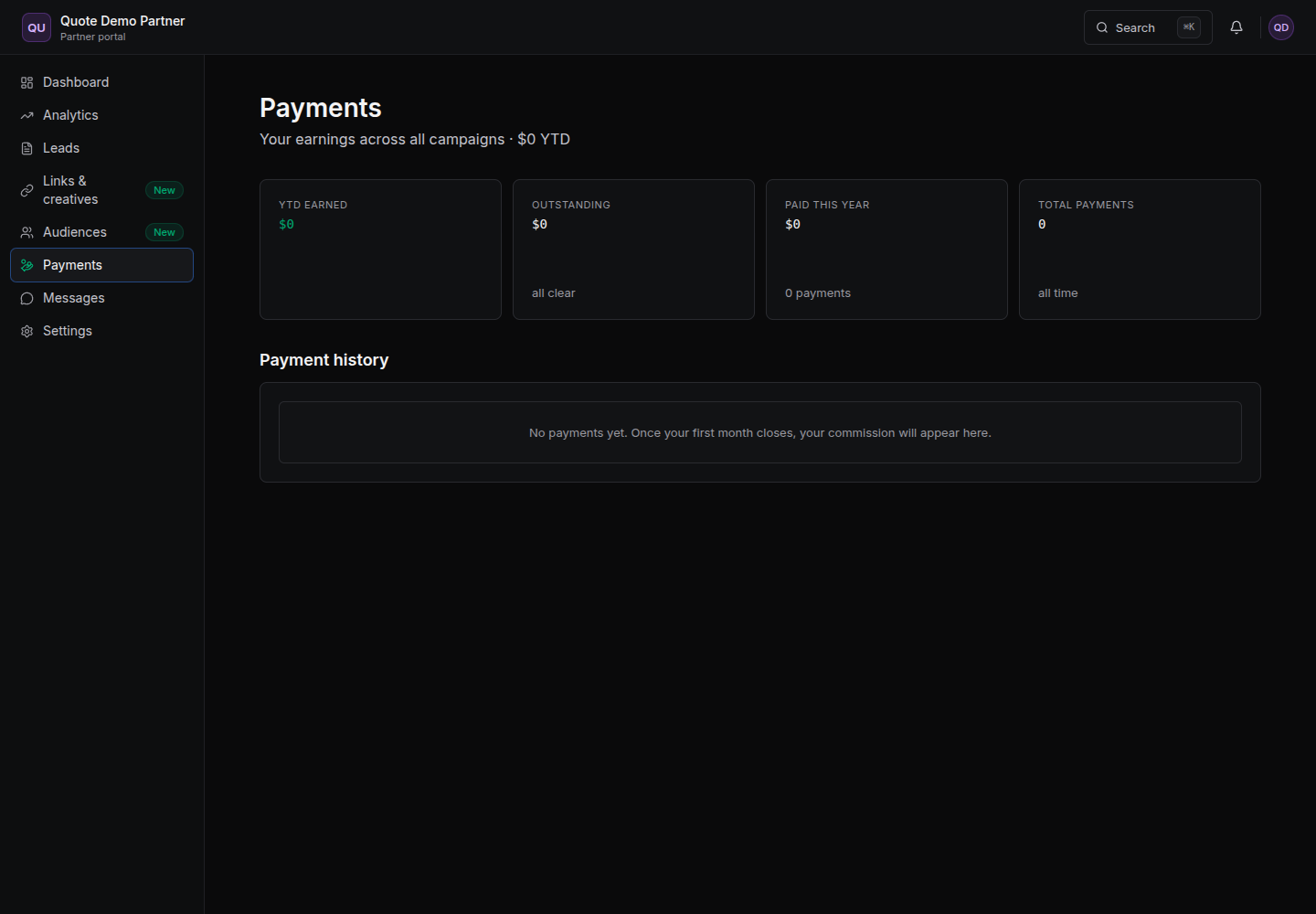
When the month closes, your commission shows up in the Payments tab. Upload your invoice when prompted, and RELO pays you. You only ever see your own commission — never the brand's revenue. Cuando el mes cierra, tu comision aparece en el tab de Pagos. Sube tu factura cuando se te pida, y RELO te paga. Siempre veras solo tu propia comision — nunca los ingresos de la marca.
Check the FAQ & Troubleshooting for the most common questions. Still stuck? Reach your account team through the Messages tab, or email us at partners@relo.mx.
Revisa las Preguntas frecuentes y Solucion de problemas para las dudas mas comunes. ¿Sigues atascado? Contacta a tu equipo de cuenta desde el tab de Mensajes, o escribenos a partners@relo.mx.