Partner Portal Guide Guia del Portal de Partners
Everything you need to run your campaigns with RELO: see your leads, get your tracking links, set up real-time postbacks, and get paid. No coding required. Todo lo que necesitas para correr tus campanas con RELO: ve tus leads, obten tus links de tracking, configura postbacks en tiempo real y cobra. Sin necesidad de programar.
Getting in Entrar al portal
You'll receive an email invitation from RELO. Click the link, set your password, and you'll land straight in your portal. After that, just sign in with your email and password. Recibiras una invitacion por correo de RELO. Haz clic en el enlace, define tu contrasena y aterrizaras directo en tu portal. Despues de eso, solo inicia sesion con tu correo y contrasena.
Once inside, the layout is simple. The top bar has a month picker (to switch the period you're looking at) and your partner name. The left navigation gives you everything: Una vez dentro, el diseno es simple. La barra superior tiene un selector de mes (para cambiar el periodo que estas viendo) y el nombre de tu partner. La navegacion lateral izquierda te da todo:
- Dashboard — your month-to-date at a glanceDashboard — tu mes en curso de un vistazo
- Analytics — deeper performance breakdownsAnalytics — desglose mas profundo de tu desempeno
- Leads — every conversion credited to youLeads — cada conversion acreditada a ti
- Links & creatives — your tracking links, banners and postbacksLinks y creativos — tus links de tracking, banners y postbacks
- Audiences — coming soonAudiencias — proximamente
- Payments — your earnings and payment historyPagos — tus ganancias e historial de pagos
- Messages — talk to your RELO account teamMensajes — habla con tu equipo de cuenta de RELO
- Settings — your deal, company info, payment details and notificationsSettings — tu acuerdo, datos de empresa, datos de pago y notificaciones
Your Dashboard Tu Dashboard
The Dashboard is your month-to-date at a glance. The top KPI row shows the numbers that matter most: El Dashboard es tu mes en curso de un vistazo. La fila de KPIs de arriba muestra los numeros que mas importan:
- Leads submitted — how many conversions you've driven this monthLeads enviados — cuantas conversiones has generado este mes
- Your earnings — what you've earned in commissionTus ganancias — lo que has ganado en comision
- Daily pace — your earnings divided by the days you were activeRitmo diario — tus ganancias divididas entre los dias que estuviste activo
- Active days — how many days you produced resultsDias activos — cuantos dias produjiste resultados
Below that you'll find the "Your lead goals" card (your progress per segment against your caps), a "Daily trend" chart (leads per day so you can spot momentum), and a "Your pixel tracking codes" card that shows your CID and the exact URL parameter to use when tagging your traffic. Debajo encontraras la tarjeta "Tus metas de leads" (tu progreso por segmento contra tus topes), una grafica de "Tendencia diaria" (leads por dia para que veas el impulso) y una tarjeta de "Tus codigos de tracking" que muestra tu CID y el parametro exacto de URL que debes usar al etiquetar tu trafico.
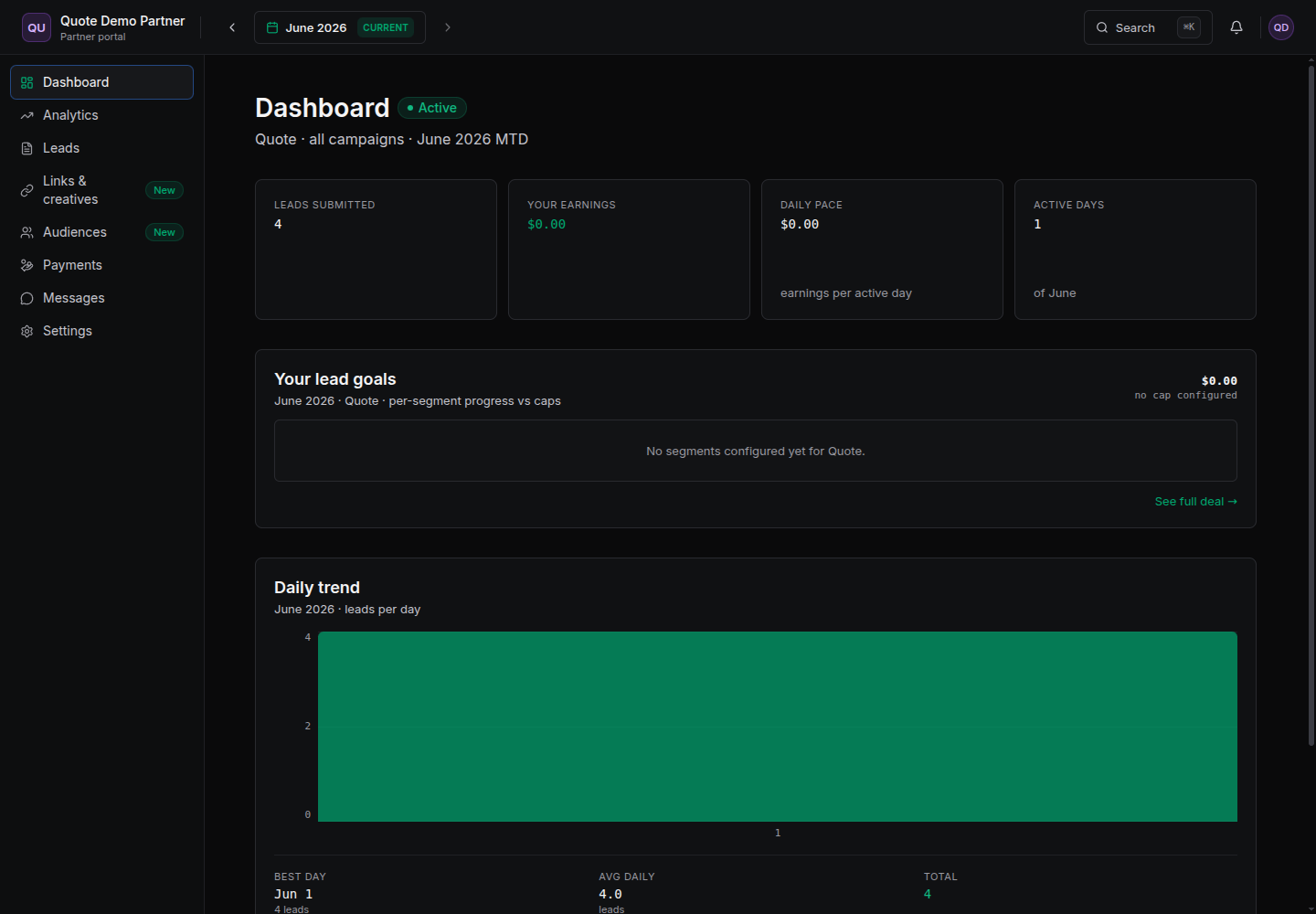
You never see revenue numbers — only your own commission. That's by design: your portal shows your earnings, not the brand's sales totals. Nunca veras numeros de ingresos (revenue) — solo tu propia comision. Es a proposito: tu portal muestra tus ganancias, no los totales de venta de la marca.
Find your leads Encuentra tus leads
The Leads tab is the full table of every conversion credited to you. The KPIs at the top summarize the period: El tab de Leads es la tabla completa de cada conversion acreditada a ti. Los KPIs de arriba resumen el periodo:
- Total submitted, Unique visitors, Qualified, and Lead value.Total enviados, Visitantes unicos, Calificados y Valor de leads.
Each row in the table shows: an email-hash prefix, the product, the stage (raw or qualified), city, source, lead value and the time. You can filter by stage or product, search, and export the whole list to CSV. Cada fila de la tabla muestra: un prefijo de hash de email, el producto, el stage (raw o qualified), ciudad, fuente, valor del lead y la hora. Puedes filtrar por stage o producto, buscar y exportar toda la lista a CSV.
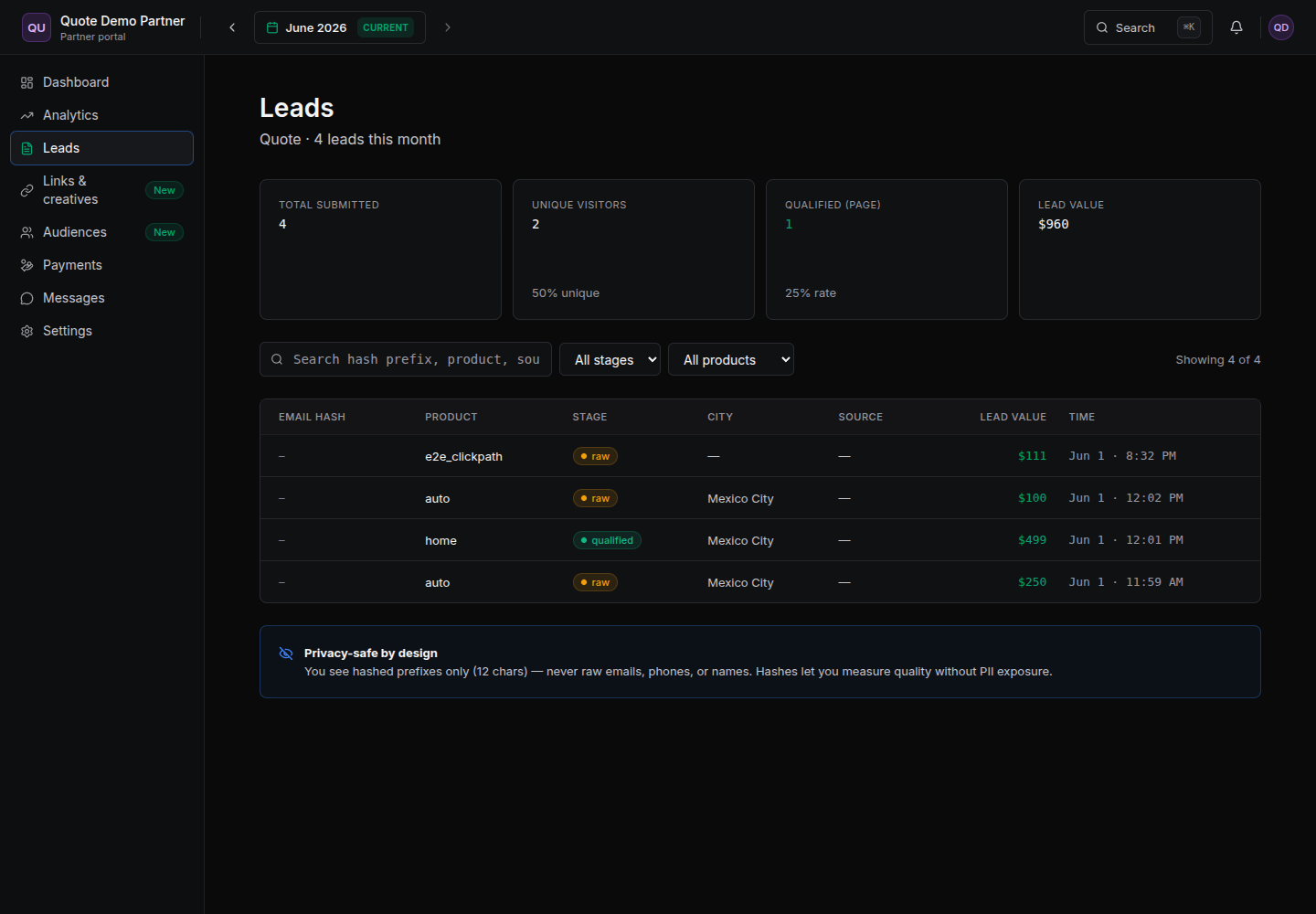
You only ever see a 12-character hashed prefix — never raw emails, phone numbers or names. This lets you measure lead quality and de-duplicate without ever handling personal data. Solo veras un prefijo hasheado de 12 caracteres — nunca correos, telefonos ni nombres reales. Esto te permite medir la calidad de los leads y deduplicar sin manejar datos personales.
Get your tracking link Obten tu link de tracking
Under Links & creatives you'll find four subtabs: Tracking links, Creatives, Link builder, and Postbacks (S2S). There are two supported ways to tag your traffic so your conversions get credited to you. En Links y creativos encontraras cuatro subtabs: Tracking links, Creativos, Link builder y Postbacks (S2S). Hay dos formas soportadas de etiquetar tu trafico para que tus conversiones se te acrediten.
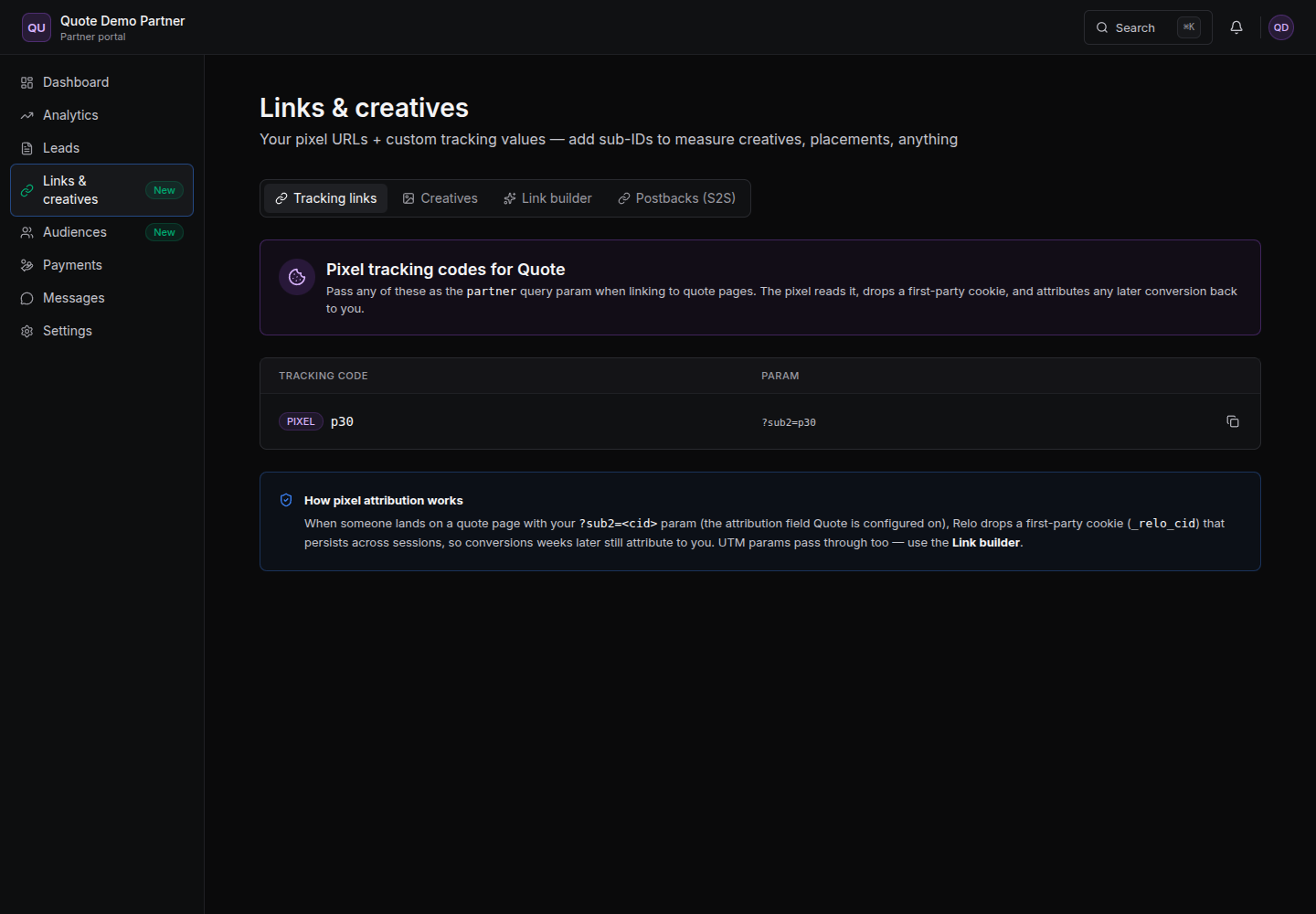
Option A — Simple: direct parameter Opcion A — Simple: parametro directo
Just append ?<attribution_field>=<your-cid> to your landing-page URL. The portal shows you the exact parameter for this client (for example ?sub2=p30). This is first-touch and self-declared — quick to set up, but the credit is read straight from the URL.
Solo agrega ?<attribution_field>=<tu-cid> a la URL de tu landing page. El portal te muestra el parametro exacto para este cliente (por ejemplo ?sub2=p30). Es first-touch y auto-declarado — rapido de configurar, pero el credito se lee directo de la URL.
https://landing.example.com/oferta?sub2=p30
Option B — Recommended: secure tracking link Opcion B — Recomendado: link de tracking seguro
In the Link builder subtab, enter your Destination URL and click Generate secure link. You'll get a short link that looks like t.relo.mx/c/CODE. Use this when you want tamper-proof, cross-session attribution.
En el subtab de Link builder, ingresa tu URL de destino y haz clic en Generar link seguro. Obtendras un link corto tipo t.relo.mx/c/CODE. Usalo cuando quieras atribucion a prueba de manipulacion y cross-session.
This link seals your partner ID server-side (so it can't be spoofed) and drops a first-party _relo_cid cookie. That means a conversion that happens weeks later still attributes back to you.
Este link sella tu partner ID del lado del servidor (asi no se puede falsificar) y deja una cookie propia _relo_cid. Eso significa que una conversion que ocurre semanas despues sigue atribuyendose a ti.
https://t.relo.mx/c/9fK2aQ
Use the direct parameter for a quick test. Use the secure t.relo.mx link for anything you care about — it's harder to spoof and survives across sessions.
Usa el parametro directo para una prueba rapida. Usa el link seguro t.relo.mx para lo que de verdad importa — es mas dificil de falsificar y sobrevive entre sesiones.
Get conversions in real time (Postbacks / S2S) Recibe conversiones en tiempo real (Postbacks / S2S)
A postback (server-to-server, or S2S) lets RELO notify your own CRM or tracker the moment a conversion is credited to you — no manual checking needed. Find it under Links & creatives → Postbacks (S2S). Un postback (server-to-server, o S2S) le permite a RELO avisarle a tu propio CRM o tracker en el momento exacto en que se te acredita una conversion — sin revisar manualmente. Lo encuentras en Links y creativos → Postbacks (S2S).
To set one up: pick an event (conversions like lead_submit, purchase and signup are shown first), paste your CRM/tracker URL with macros, and RELO will fire a GET request to that URL whenever that event is credited to you. Buttons let you Add, Test (fires a sample so you can confirm your endpoint receives it), toggle Active, and Delete.
Para configurarlo: elige un evento (las conversiones como lead_submit, purchase y signup aparecen primero), pega la URL de tu CRM/tracker con macros, y RELO disparara una peticion GET a esa URL cada que ese evento se te acredite. Los botones te permiten Agregar, Probar (dispara un ejemplo para confirmar que tu endpoint lo recibe), activar/desactivar con Active, y Eliminar.
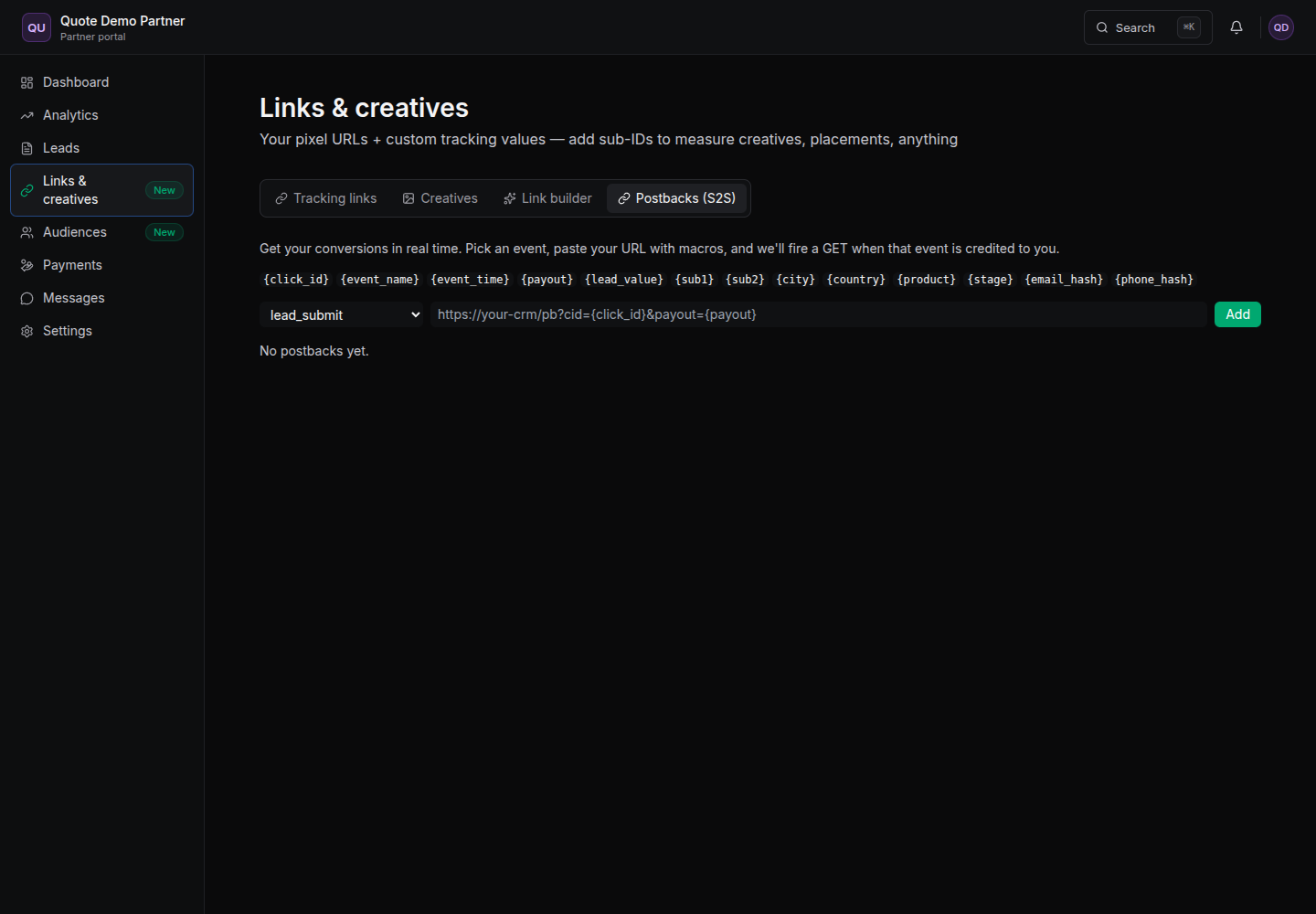
Your postback URL must be https. Drop any of these macros into it and RELO will replace them with the real values: Tu URL de postback debe ser https. Inserta cualquiera de estos macros y RELO los reemplazara con los valores reales:
| Macro | What it sendsQue envia |
|---|---|
{click_id} | the click identifier for this conversionel identificador del click de esta conversion |
{event_name} | which event fired (lead_submit, purchase…)que evento se disparo (lead_submit, purchase…) |
{event_time} | when it happenedcuando ocurrio |
{payout} | your payout for this conversiontu pago por esta conversion |
{lead_value} | the lead's valueel valor del lead |
{sub1} {sub2} | your sub IDstus sub IDs |
{city} {country} | visitor locationubicacion del visitante |
{product} {stage} | product and lead stage (raw/qualified)producto y stage del lead (raw/qualified) |
{email_hash} {phone_hash} | hashed identifiers (no raw PII)identificadores hasheados (sin PII crudo) |
Example postback URL: Ejemplo de URL de postback:
https://your-crm.com/pb?cid={click_id}&payout={payout}&ev={event_name}
Get paid Cobra
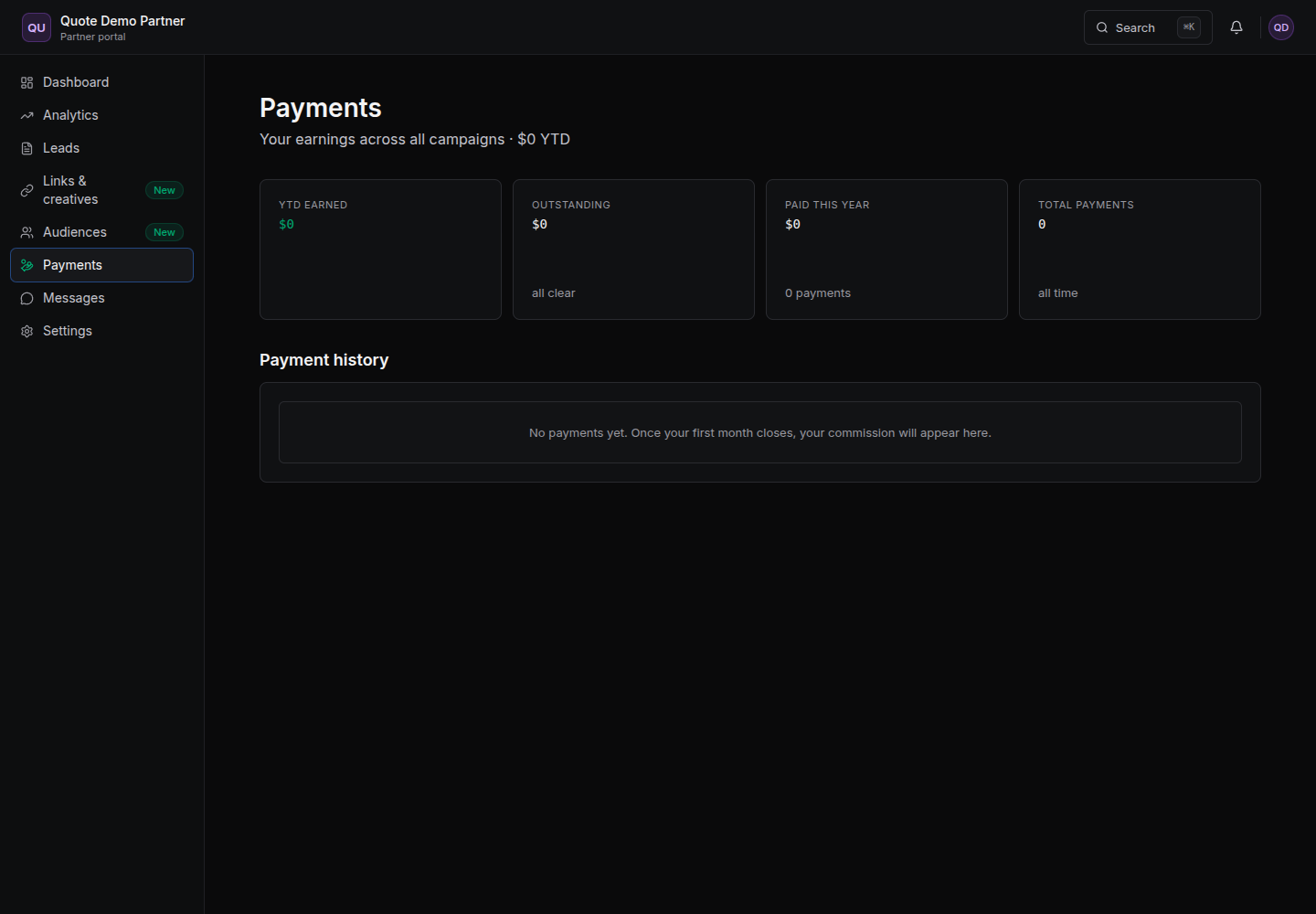
The Payments tab is your money view. At the top you'll see YTD earned, Outstanding, Paid this year, and Total payments, followed by your full payment history. El tab de Pagos es tu vista de dinero. Arriba veras Ganado en el ano (YTD), Pendiente, Pagado este ano y Total de pagos, seguido de tu historial completo de pagos.
When a month closes, your commission for that month appears here. When you're prompted, upload your invoice — that moves your payment forward in the process so RELO can pay you. Cuando un mes cierra, tu comision de ese mes aparece aqui. Cuando se te pida, sube tu factura — eso avanza tu pago en el proceso para que RELO pueda pagarte.
Settings Settings
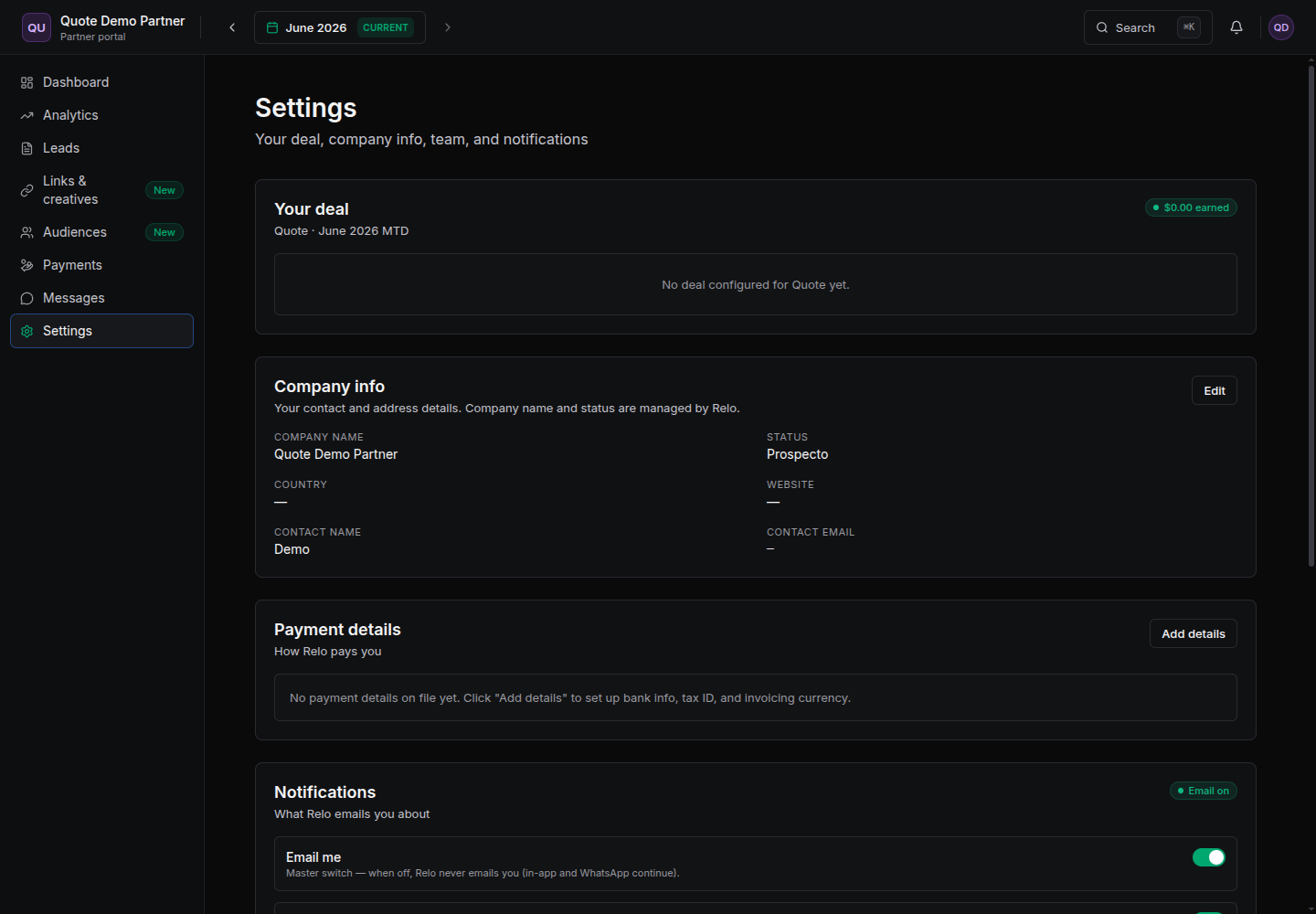
Settings is where you keep your account current. It's organized into four areas: Settings es donde mantienes tu cuenta al dia. Esta organizado en cuatro areas:
- Your deal — your terms for this client.Tu acuerdo — tus terminos para este cliente.
- Company info — your contact details. (Note: your company name and status are managed by RELO, not editable here.)Datos de empresa — tus datos de contacto. (Nota: el nombre de tu empresa y tu status los administra RELO, no se editan aqui.)
- Payment details — bank account, tax ID, and invoicing currency.Datos de pago — cuenta bancaria, RFC/tax ID y moneda de facturacion.
- Notifications — toggle which emails RELO sends you.Notificaciones — elige que correos te envia RELO.
More partner guides Más guías para partners
Go deeper on the parts that matter most: Profundiza en lo que más importa:
- Quick-start: go live in 10 minutesQuick-start: en vivo en 10 minutos — from invite to your first tracked conversion, step by step.desde la invitación hasta tu primera conversión, paso a paso.
- Tracking linksLinks de tracking — direct param vs the secure short link, and why the secure one wins.parámetro directo vs short-link seguro, y por qué gana el seguro.
- Postbacks (S2S) deep-divePostbacks (S2S) a fondo — copy-paste setups for Voluum, Binom, RedTrack and any CRM.configuraciones listas para Voluum, Binom, RedTrack y cualquier CRM.
- FAQ & troubleshootingFAQ y solución de problemas — why a conversion isn't showing, testing postbacks, getting paid.por qué no aparece una conversión, probar postbacks, cobrar.
Need help? Necesitas ayuda?
Reach out to your account manager through the Messages tab, or email us at partners@relo.mx. We're happy to help you get set up and earning.
Contacta a tu ejecutivo de cuenta desde el tab de Mensajes, o escribenos a partners@relo.mx. Con gusto te ayudamos a configurarte y empezar a ganar.